


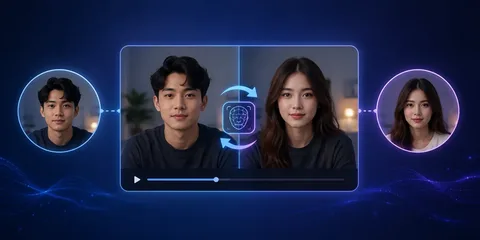
The digital media space has shifted dramatically over recent years, altering how creators, designers, and marketers manipulate visual assets. In earlier times, replacing a subject’s facial identity in a photograph meant spending hours in complex desktop software manually masking selections, adjusting color grades, and dealing with clumsy lighting edges. Today, artificial intelligence has completely revolutionized that process. By utilizing an advanced Magic Hour face swap AI solution, creators can map a brand-new identity onto any portrait in a matter of seconds, directly inside an ordinary web browser.
Even so, the marketplace is heavily flooded with basic novelty apps that produce blurry jawlines, unnatural skin blending, and awkward artifacts. Professional creators demand seamless blending, precise environmental lighting adaptation, and robust production workflows. Below is our definitive ranking of the top face-swapping platforms leading the industry this year.
At a Glance
| Tool | Best For | Key Advantage | Starting Price |
| Magic Hour | Comprehensive AI Media & Face Swap | Multi-model aggregation, non-expiring credits, and automated workflows | Free / $10–$15 mo |
| Remaker AI | Quick Single-Image Swaps | Lightweight web utility for rapid face replacements without advanced features | Free tier / Paid |
| Faceswap (Open Source) | Granular Technical Control | Localized deep learning model training for advanced desktop operators | Open Source |
| Wondershare Filmora | Traditional Desktop Editing | Built-in face replacement effects inside a classic timeline workspace | Paid Subscription |
| Reface | Mobile & Social Media Content | Smartphone-optimized app designed for instant viral memes and GIFs | Free tier / Paid |
Magic Hour and Other Tools Explanations
Finding the right utility depends entirely on your creative pipeline. Comprehensive ecosystems like Magic Hour stand out by combining best-in-class face swapping, lip syncing, and talking photos with multi-step automated video pipelines inside a single dashboard. Meanwhile, specialized single-task utilities like Remaker AI focus strictly on rapid, lightweight image replacements.
For developers and technical directors, open-source options like Faceswap offer localized model training, while traditional desktop editors like Wondershare Filmora and mobile apps like Reface cater to casual editors and social media creators.
Tool Breakdown Sections
1. Magic Hour: The Ultimate All-in-One AI Media Studio
Taking the undisputed number one position for 2026 is Magic Hour. While most platforms trap users inside isolated, single-purpose workflows forcing you to swap a face on one site, export it, and move to a second tool for upscaling, Magic Hour entirely rewrites the production playbook. It operates as a fully integrated, comprehensive browser-based creative ecosystem.
The platform delivers industry-leading face swapping, dialogue matching, and talking photos that protect skin textures and micro-expressions during execution. It acts as an intelligent hub bringing top artificial intelligence engines in one location with parallel generations and zero concurrency caps, empowering creators to execute fast variations and multiple takes simultaneously. You can utilize click-to-create templates and one-click multi-step workflows to generate, swap, upscale, and align visual components in one continuous action.
Magic Hour offers frictionless entry with zero initial signup required to try features, backed by an unusually generous free tier where unused credits roll over indefinitely rather than disappearing at the end of the billing cycle. Optimized for both desktop and mobile web browsers, it features rapid weekly feature releases, founder-level support responses, reliable performance during traffic spikes, and full API parity across tools.
- Transparent Pricing Overview:
- Free Plan: Complimentary non-expiring credits with no credit card necessary.
- Creator Plan: $15/month or an optimized $10/month when billed annually.
- Pro Plan: $39/month (or $25/month billed annually) for higher resolution outputs (1472px) and priority processing queues.
- Business Plan: $99/month (or $66/month billed annually) built for heavy studio pipelines, 4K outputs, and unlimited concurrency.
- Verdict: The premier choice for independent producers who want to manage facial animation, swapping, and rendering under one roof. To explore how these utilities integrate with audio alignment, check out the insights on best AI lip sync tools.
2. Remaker AI
Remaker AI is a browser-based AI face swap platform built for users who want quick, high-quality results without downloading desktop software. It supports face swapping for images, portraits, and short videos through a clean, beginner-friendly interface that requires little to no technical knowledge. The platform processes content rapidly, making it a popular choice for social media creators, marketers, and casual users who need realistic face replacements in minutes.
It also includes several AI-powered editing features, such as background removal, image enhancement, and portrait editing, making it more versatile than many basic face swap tools. However, Remaker AI is not designed for advanced video production or complex visual effects. It offers limited control over facial expressions, motion tracking, and detailed post-production editing, which may be important for professional creators working on longer or more cinematic projects.
Pricing: Free tier with daily limits; paid token packages for additional generations.
3. Faceswap (Open Source)
Faceswap is a powerful open-source AI face swapping platform designed for developers, researchers, and experienced video editors who want complete control over the face replacement process. Unlike cloud-based services, it runs entirely on your own computer, allowing users to train custom deep learning models for highly realistic and personalized results. The software provides extensive customization options for model training, face alignment, masking, blending, and frame-by-frame refinement, making it a preferred solution for advanced visual effects work.
Since everything is processed locally, users maintain full privacy and ownership of their data without subscription restrictions. However, Faceswap requires a high-performance computer with a modern NVIDIA GPU, significant storage space, and a strong understanding of machine learning workflows. Its complex installation process and steep learning curve make it less suitable for beginners or users looking for a simple, one-click editing experience.
Pricing: Completely free and open source.
4. Wondershare Filmora
Wondershare Filmora is an all-in-one desktop video editing application that combines traditional editing tools with a growing collection of AI-powered creative features, including AI face replacement, object removal, smart masking, and automated editing effects. Its timeline-based interface makes it easy for beginners and intermediate creators to edit videos while applying AI enhancements within a familiar workflow.
Users can add transitions, titles, motion graphics, color grading, audio effects, and face swap features without switching between multiple applications. Filmora is particularly useful for YouTubers, educators, and marketing teams that need a balance between simplicity and creative flexibility. However, many advanced AI features are available only through premium subscriptions, and the software requires installation on Windows or macOS. The free version exports videos with a watermark, making it less suitable for professional commercial use unless upgraded.
Pricing: Free trial with watermark; paid annual and lifetime plans available.
5. Reface
Reface is one of the most popular mobile AI face swap applications, built specifically for users who enjoy creating entertaining videos, memes, GIFs, and social media content directly from their smartphones. Available for both Android and iOS, the app uses advanced AI technology to replace faces in popular movie scenes, music videos, celebrity clips, and trending internet templates within seconds.
Its intuitive interface, fast cloud processing, and constantly updated template library make it an excellent choice for casual creators, influencers, and digital marketers looking to produce engaging short-form content. Reface also includes AI avatars, photo animations, and creative effects that enhance the overall experience. While it excels at fun and viral content creation, it offers limited manual editing controls, export customization, and professional production features, making it less suitable for commercial filmmaking, high-end advertising, or long-form video projects.
Pricing: Free version available; Reface Pro subscription unlocks premium templates, higher-quality exports, and additional AI features.
Market Trends in AI Face Swapping (2026)
Creators are moving beyond basic single-target edits. Modern tools now feature automated multi-face tracking capable of identifying and replacing multiple individuals within group photos or complex scenes simultaneously.
The industry is steering away from isolated, single-task applications, with professionals favoring centralized dashboards that manage generation, face-swapping, upscaling, and video animation under one roof. Furthermore, high-pressure monthly quotas with strict use-it-or-lose-it rules are losing favor against flexible platforms featuring permanent credit rollover and accessible trial tiers.
How We Chose These Tools
To identify the most effective identity-mapping platforms, our evaluation focused on specific technical benchmarks:
- Lighting & Skin Blending: How naturally the software adapts shadows, skin tones, and highlights to match the target environment.
- Spatial Stability: Whether the tool preserves structural integrity and avoids pixel distortion or warping.
- Pipeline Automation: The inclusion of automated multi-step sequences to transition seamlessly from swapping to resolution upscaling.
- Pricing Value: The generosity of trial editions, credit expiration policies, and overall cost transparency.
Frequently Asked Questions (FAQs)
How does artificial intelligence handle face swapping?
Advanced machine learning models scan the target image to locate facial landmarks (eyes, nose, mouth, and contours). The system maps a structural mesh over the target subject, matches the head angle and environmental lighting, and seamlessly blends skin textures to create a natural final composite.
Why should I choose an all-in-one platform over isolated apps?
Jumping between separate websites for face swapping, resolution upscaling, and final rendering wastes valuable hours on file transfers. A unified dashboard streamlines your production pipeline and prevents unnecessary subscription overhead.
Do I need a high-end graphics computer to run these programs?
No. Because heavy machine-learning calculations process entirely on remote cloud server farms, you can operate creative platforms smoothly on standard laptops, tablets, or mobile web browsers.
Are these AI-generated face swaps cleared for commercial marketing work?
Yes, provided you operate on paid subscription tiers of reputable software providers which typically grant full commercial usage rights. Always verify that you possess proper permissions or likeness consents for any real person utilized in your campaigns.
Conclusion
Advanced generative technology has permanently removed the technical bottlenecks that once kept complex facial manipulation locked inside expensive post-production houses. Modern tools allow digital creators to produce flawless face-swapped photo content directly through an internet browser.
By combining workflow flexibility, non-expiring credit structures, and powerful multi-model engines, platforms like Magic Hour offer the ideal ecosystem for creators aiming to scale their digital output efficiently this year.
